AT A GLANCE
Create a contractor estimate by defining the scope, reviewing quantities and unit costs, adding business and client details, and checking the exported PDF before sharing.
Make it easy for a client to understand the work.
A useful estimate answers three questions: What will you do, what is included, and what will it cost? Estimates brings the project description, editable costs, and PDF export into one workflow.
This guide follows our 400-square-foot basement finishing sample. Use it to learn the process, then replace every example detail with information for your own job.
1. Start with a scope, not just a project name.
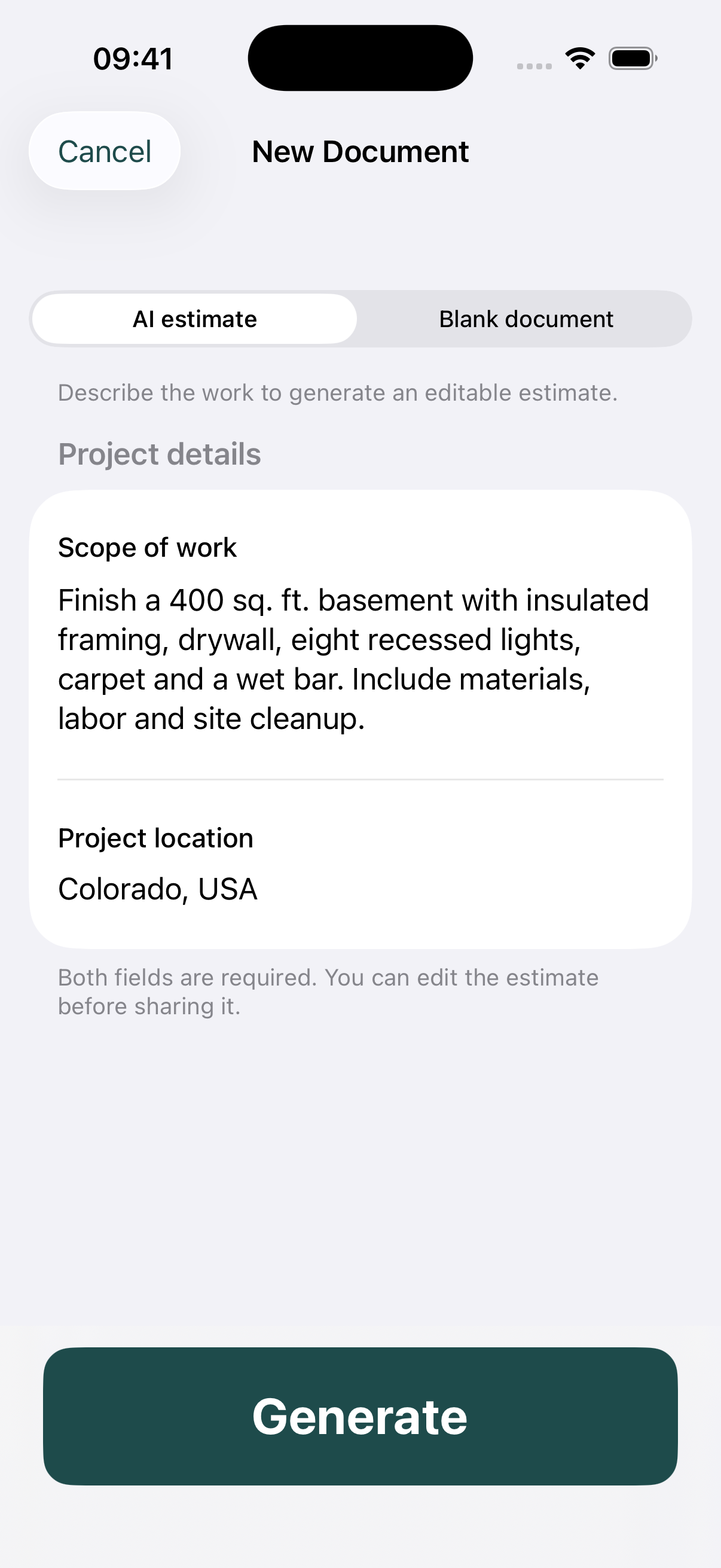
Create an estimate and describe the work and location. Give the draft enough detail to reflect the job: measurements, work types, materials, and the finish level you discussed with the customer.
Use AI assistance for a first draft, then review it. A description cannot reveal hidden conditions or replace measurements from the site. If the customer has not chosen finishes, identify those costs as allowances.
2. Put your business and customer on the document.
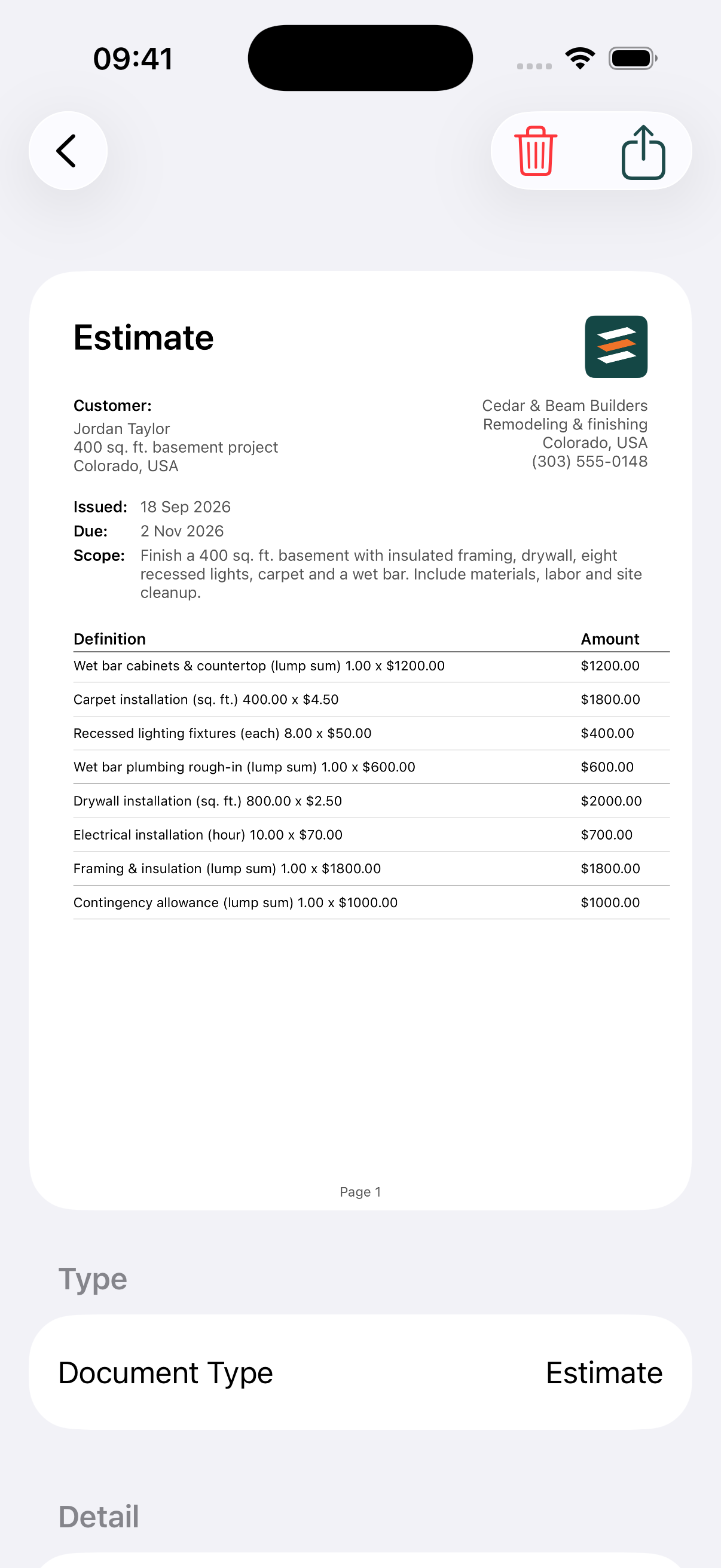
Add your business details in the app: business logo, name, address, phone, email, and website. Add the customer’s name and contact information to the estimate. These details appear in the PDF’s header so the client knows who prepared it and how to reach you.
 Cedar & Beam Builders
Remodeling & finishing · Colorado, USA
(303) 555-0148
Customer: Jordan Taylor
Project: 400 sq. ft. basement finishing
Use the client’s actual job address in your own document. Check for spelling errors before exporting.
3. Review every quantity and unit cost.
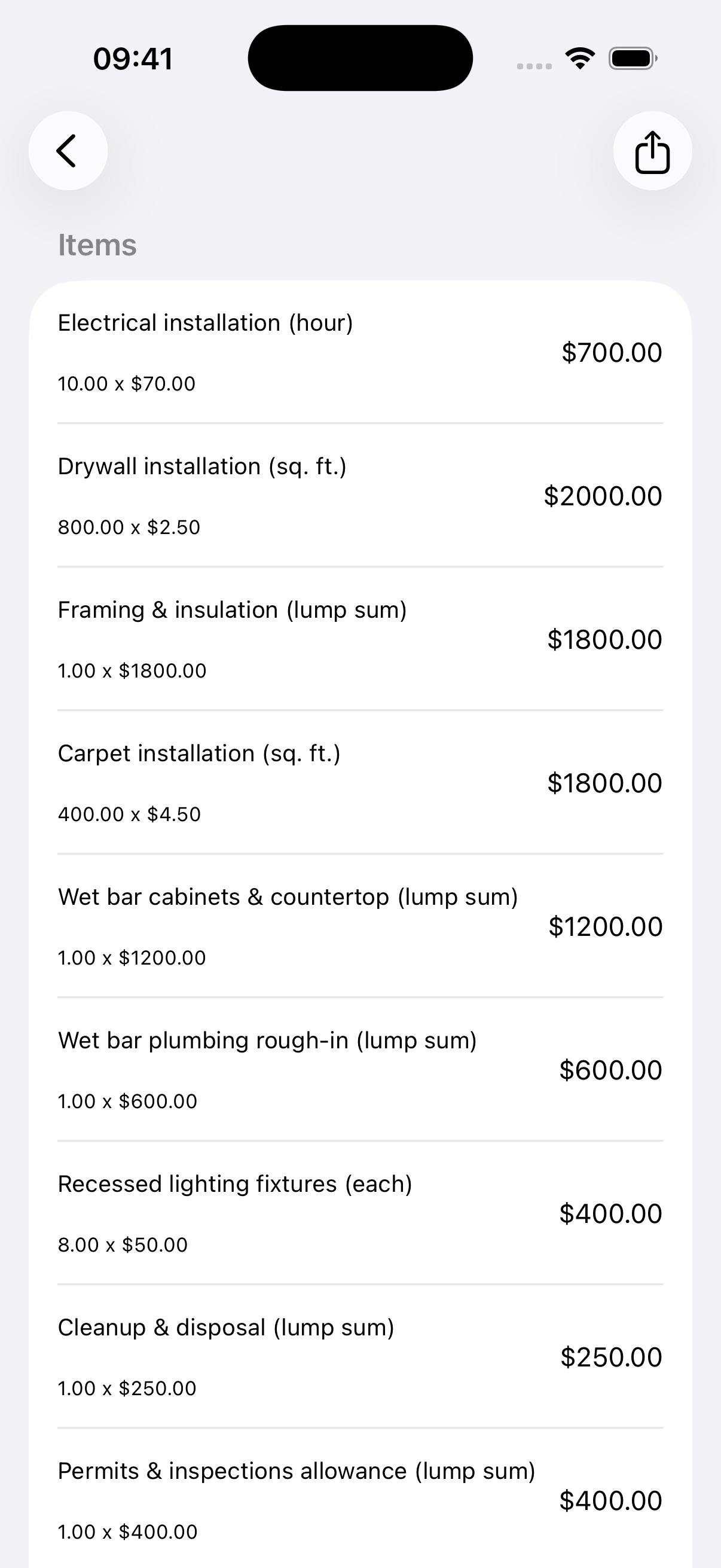
Work through the draft one line at a time. Check that nothing is missing or counted twice. Update the quantity, unit, and unit cost to reflect the measurements and rates you intend to quote.
| Item | Calculation | Line total |
|---|---|---|
| Drywall installation | 800 sq. ft. × $2.50 | $2,000.00 |
| Carpet installation | 400 sq. ft. × $4.50 | $1,800.00 |
| Recessed lighting fixtures | 8 × $50.00 | $400.00 |
All 12 sample lines total $11,950.00 before tax. An illustrative 2.9% tax input adds $346.55, making the example total $12,296.55. These are demonstration inputs, not local market rates or tax advice.
Review markup separately from the base costs. Make sure your estimate reflects the overhead and margin you intend, and confirm the applicable tax treatment for the actual job.
4. Explain the assumptions and validity.
A total makes more sense when the client understands its limits. Use the notes and validity fields to explain what the estimate assumes and when the pricing needs to be revisited.
- Materials: Which finish level or allowance is included?
- Site conditions: What needs inspection before the scope is final?
- Exclusions: Are structural work, moisture remediation, or service upgrades outside this scope?
- Changes: Explain that revised work requires a revised estimate.
- Validity: Choose a date that fits the supplier and subcontractor pricing you have.
In this sample, the estimate is issued September 18, 2026 and valid through November 2, 2026. Set dates appropriate to your own project.
5. Preview the PDF before sharing it.
Open the document preview and check each page. Confirm the business and client details, scope, line items, subtotal, tax, final total, and notes. Then use the share action to send the PDF through your preferred app.
Before sending, check:
- The document is for the right customer and project.
- Quantities, unit rates, markup, and tax match your intended quote.
- The line items add up to the subtotal and total.
- Long descriptions and notes are readable on every page.
- The validity date and scope reflect your conversation with the client.
Keep the estimate in your project list so you can return to it when the client requests a change.
See the finished result, then make your own.
Explore the full sample and download its PDF to see how the scope, business details, and 12 cost items appear together.