EXAMPLE AT A GLANCE
This fence installation estimate contains 7 line items totaling $3,873.00. It includes an app-exported PDF, a visible calculation table and explicit exclusions. All prices are fictional and exclude tax and markup.
The 100 linear ft. wood fence scope
Install 100 linear feet of wood privacy fence on an agreed accessible alignment with one gate. Example quantities include 14 posts, 300 linear feet of rails and 220 pickets. Final layout and material quantities require site verification.
- Prepared by
- Cedar & Beam Builders · fictional business
- Prepared for
- Jordan Taylor · fictional customer
- Example location
- Kansas City, Missouri
- Issued / valid through
- September 21 / October 21, 2026
Itemized fence installation estimate
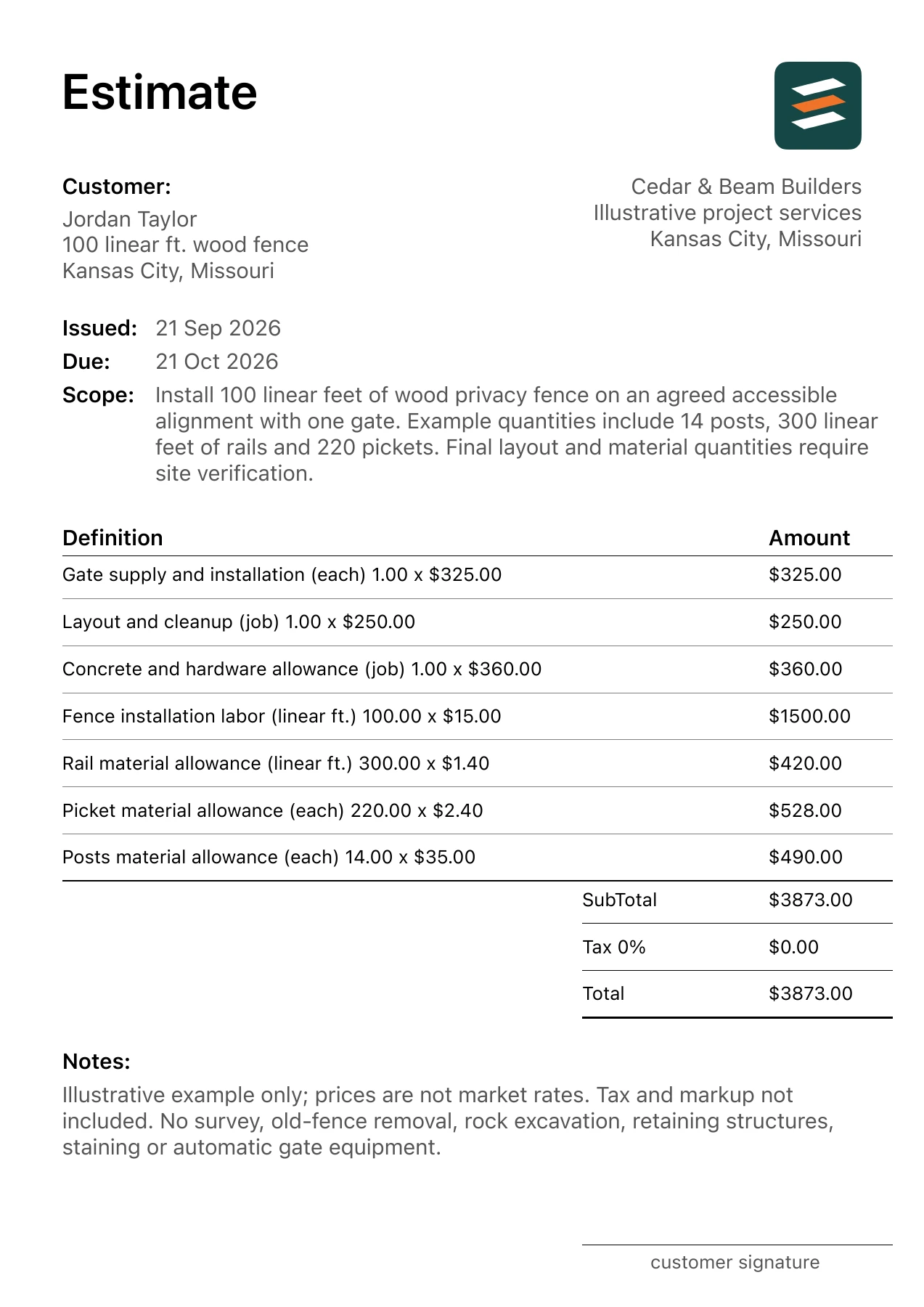
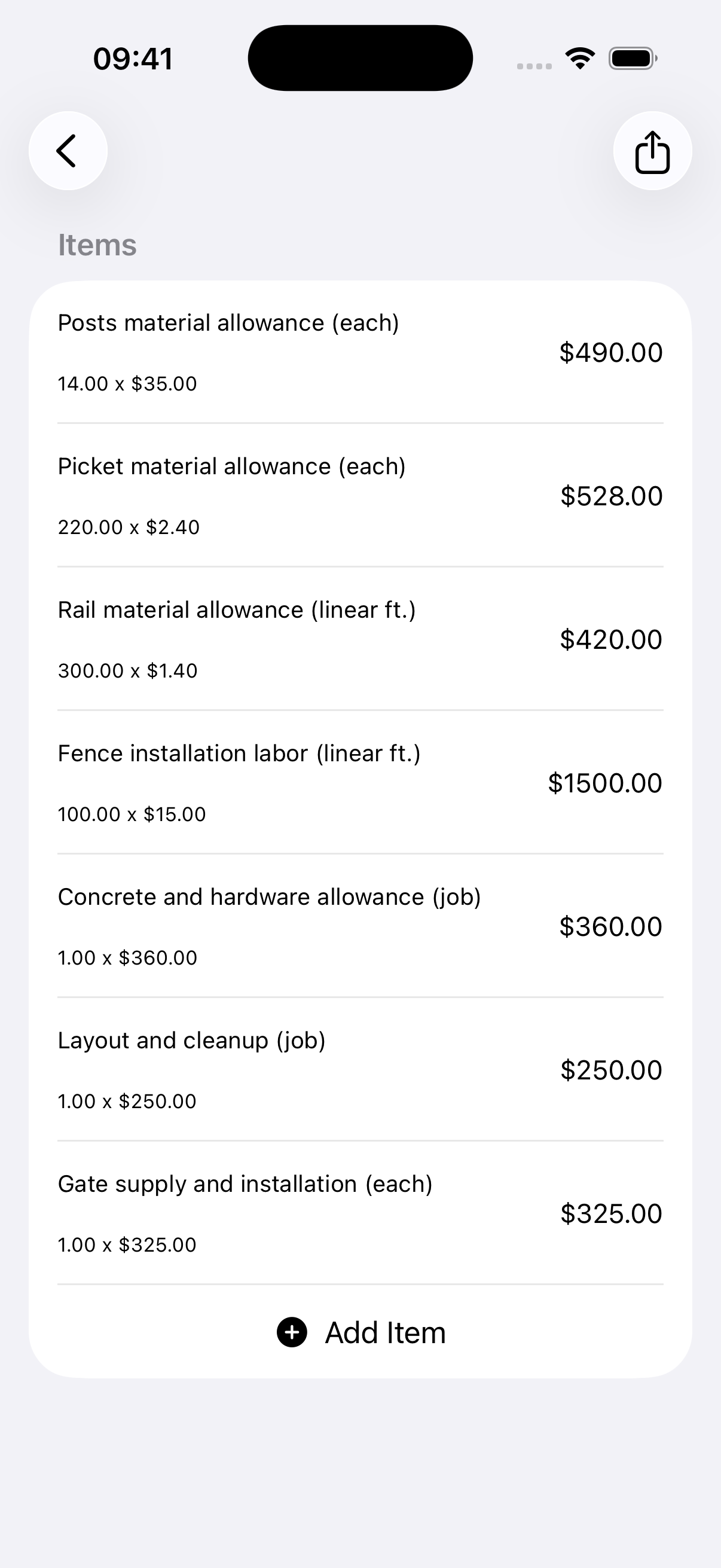
The table below uses the same quantities and unit prices as the downloadable PDF. Amounts are in US dollars; the location provides context and does not make these local market rates.
| Work item | Quantity | Unit price | Amount |
|---|---|---|---|
| Posts material allowance | 14 each | $35.00 | $490.00 |
| Rail material allowance | 300 linear ft. | $1.40 | $420.00 |
| Picket material allowance | 220 each | $2.40 | $528.00 |
| Concrete and hardware allowance | 1 job | $360.00 | $360.00 |
| Fence installation labor | 100 linear ft. | $15.00 | $1,500.00 |
| Gate supply and installation | 1 each | $325.00 | $325.00 |
| Layout and cleanup | 1 job | $250.00 | $250.00 |
| Subtotal / example total | $3,873.00 | ||
Tax and markup: not included. Determine and apply the appropriate values for your own job. A zero tax entry in this example does not mean the work is tax-exempt.
How to read the quantities
The installation labor example is 100 linear ft. × $15 = $1,500. The separate $325 gate line shows that the gate is not silently included in, or counted twice within, the fence length price.
What the example includes—and leaves out
This sample uses 14 posts and one gate, but real quantities follow the actual layout. Review rail lengths, picket spacing and hardware against the agreed system. Avoid copying the example count into a different fence without a takeoff.
Outside this scope: No survey, old-fence removal, rock excavation, retaining structures, staining or automatic gate equipment.
Keep unresolved selections and site conditions visible. If a measurement, material choice or repair requirement changes, revise the relevant quantity or allowance and share the updated estimate before proceeding with the added work.
Download the actual app PDF
This is a completed example, not a blank fillable form. It was exported from Estimates using the project data on this page. The business logo, client details, scope, line amounts, total and notes come from the app’s document renderer.
Use the example for your next job
- Replace the scope and location with your actual project.
- Use the checklist below to collect missing selections and measurements.
- Replace every example rate with your own supplier and labor inputs.
- Add your business logo, client details, tax, markup and validity date.
- Preview every PDF page and review the total before sharing.
- Confirm alignment, height and access.
- Count posts, corners, rails and gates.
- State removal and disposal responsibilities.
- Verify relevant site and approval prerequisites before work.
Common questions
Is fence length enough for a complete estimate?
No. It is a starting measurement. Gates, corners, height, components, terrain and removal requirements can change the scope and should be identified.
How should I show an optional second gate?
Keep it outside the accepted base total as a clearly labeled option, or issue a revised estimate once the customer selects it.
TAKE THE NEXT JOB FROM SCOPE TO PDF
Make your own fence installation estimate.
Use Estimates on iPhone or Android to draft a scope with AI assistance or enter your own items. Review quantities and rates, add your business logo, and export a PDF. Example files are free to view; app features may require an in-app purchase.