THE SHORT ANSWER
Estimate a fence from a verified alignment, height, material system and gate count. Use length to organize the job, but check posts, rails, pickets, corners and gates rather than relying on one unexplained per-foot price.
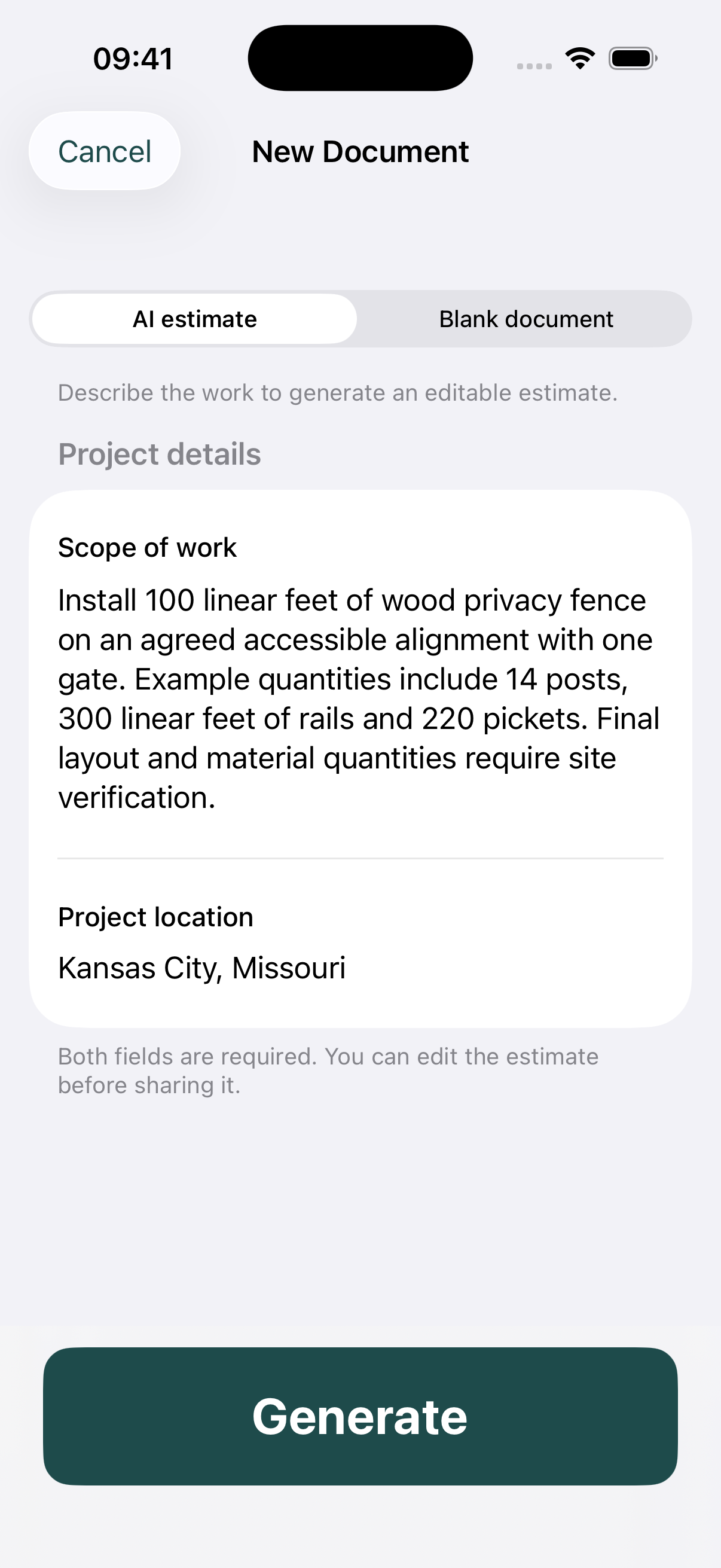
The worked project in this guide is 100 linear ft. wood fence. It uses an original fictional job to explain the estimating decisions, with a matching fence installation PDF example. Replace the example inputs with your measurements, supplier quotes and labor costs.
1. Agree the alignment and dimensions
Record the proposed run and height before preparing quantities. Identify corners, ends and changes in elevation. The estimate should say who confirms the boundary and access permissions; a drawing used for estimating is not a property survey.
2. Reconcile component quantities
This sample uses 14 posts and one gate, but real quantities follow the actual layout. Review rail lengths, picket spacing and hardware against the agreed system. Avoid copying the example count into a different fence without a takeoff.
3. Give gates their own line
A gate changes hardware, labor and adjoining components. Record the opening size, direction and latch expectations. Separate pricing makes it easier for a customer to compare a base run with an optional additional gate.
4. Record site assumptions
Existing-fence removal, difficult digging, access restrictions and disposal can change the scope. Identify these before setting the base amount. Address required utility-location and local-approval steps through the appropriate local process before ground disturbance.
A worked fence installation calculation
The installation labor example is 100 linear ft. × $15 = $1,500. The separate $325 gate line shows that the gate is not silently included in, or counted twice within, the fence length price.
The complete example contains 7 lines totaling $3,873.00 before any tax or markup. These are deliberately stated example prices, not a survey, regional price recommendation or offer to perform the job.
To set your own selling price, review direct costs and decide how you will cover overhead and profit. For example, adding 20% to a $1,000 cost gives $1,200; it does not produce a 20% gross margin. Use the approach you intend consistently, and avoid adding a second markup to rates that already include it.
Before you send the estimate
- Confirm alignment, height and access.
- Count posts, corners, rails and gates.
- State removal and disposal responsibilities.
- Verify relevant site and approval prerequisites before work.
Example scope boundary: No survey, old-fence removal, rock excavation, retaining structures, staining or automatic gate equipment.
Review the client name, location, validity date and all calculations. Tax is not included in this example; determine the correct treatment for the actual work rather than copying a sample percentage.
Common questions
Is fence length enough for a complete estimate?
No. It is a starting measurement. Gates, corners, height, components, terrain and removal requirements can change the scope and should be identified.
How should I show an optional second gate?
Keep it outside the accepted base total as a clearly labeled option, or issue a revised estimate once the customer selects it.
TAKE THE NEXT JOB FROM SCOPE TO PDF
Make your own fence installation estimate.
Use Estimates on iPhone or Android to draft a scope with AI assistance or enter your own items. Review quantities and rates, add your business logo, and export a PDF. Example files are free to view; app features may require an in-app purchase.