THE SHORT ANSWER
Estimate tile flooring from the installation area, selected tile, layout, substrate condition and edge details. Show material allowances and labor separately, especially when the customer has not finalized the tile.
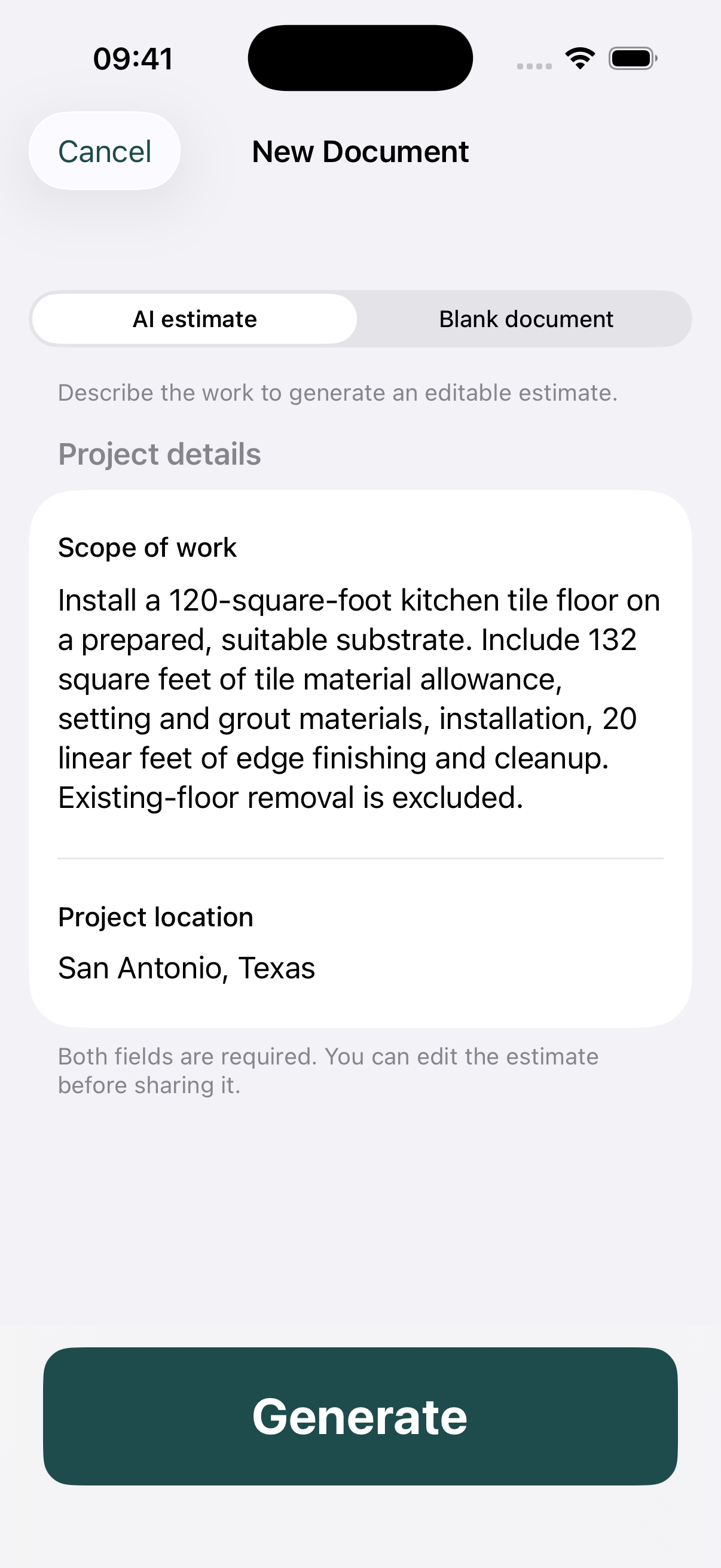
The worked project in this guide is 120 sq. ft. kitchen tile floor. It uses an original fictional job to explain the estimating decisions, with a matching tile flooring PDF example. Replace the example inputs with your measurements, supplier quotes and labor costs.
1. Confirm the actual tile and layout
Tile size, pattern and room geometry affect cuts and handling. Record the agreed layout and product before treating an installation rate as final. A straightforward room in a sample is not a substitute for inspecting a complicated layout.
2. Separate tile purchasing from installed area
This example installs 120 square feet and allows 132 square feet of tile. Explain the additional purchasing quantity rather than presenting it as extra installed space. Confirm carton quantities and replacement-piece expectations with the selected product.
3. Name the substrate assumption
The sample starts from a prepared, suitable substrate. It does not cover removal or corrective work. If those tasks belong in the job, add measured lines instead of hiding them in a general tile-installation amount.
4. Finish the estimate at the edges
Thresholds, perimeter transitions, exposed tile edges and final cleaning form part of the finished result. Count them explicitly. Confirm who moves and reinstalls appliances and whether the customer expects adjacent trim work.
A worked tile flooring calculation
Tile materials are 132 sq. ft. × $4.50 = $594. Installation is 120 × $9 = $1,080, and grouting/cleaning is 120 × $2 = $240. The separate lines reveal what each quantity buys.
The complete example contains 6 lines totaling $2,344.00 before any tax or markup. These are deliberately stated example prices, not a survey, regional price recommendation or offer to perform the job.
To set your own selling price, review direct costs and decide how you will cover overhead and profit. For example, adding 20% to a $1,000 cost gives $1,200; it does not produce a 20% gross margin. Use the approach you intend consistently, and avoid adding a second markup to rates that already include it.
Before you send the estimate
- Record tile size, selection and pattern.
- Confirm a suitable substrate is part of the starting condition.
- Count edges, thresholds and transitions.
- State removal and appliance responsibilities.
Example scope boundary: No existing-floor demolition, structural repairs, waterproof shower work, major leveling or appliance handling.
Review the client name, location, validity date and all calculations. Tax is not included in this example; determine the correct treatment for the actual work rather than copying a sample percentage.
Common questions
Is a tile flooring estimate the same as a shower estimate?
No. The scope and assemblies differ. This floor example does not price a shower or imply that shower waterproofing is included.
Should grout be included?
State it explicitly. Identify setting and grout materials as well as the labor needed to deliver the agreed finished floor.
TAKE THE NEXT JOB FROM SCOPE TO PDF
Make your own tile flooring estimate.
Use Estimates on iPhone or Android to draft a scope with AI assistance or enter your own items. Review quantities and rates, add your business logo, and export a PDF. Example files are free to view; app features may require an in-app purchase.